Showing posts with label portfolios. Show all posts

Sunday, March 29, 2009

While many have yet to discover the wonders of intentional back-channel discussions, Peter Purgathofer and his colleages at the University of Technology, in Vienna Austria, have continued to develop Slidecasting 2.0 as a way to focus back-channel discussions in a way that engages students in active, participatory learning.

If you ever find yourself preparing slideshows, or presenting workshops in a lecture format, you'll be very interested to learn more about Slidecasting, and to revel in Peter's passion for learning.


If you'd like to learn more about the origins of this project, check out the Slidecasting 2.0 Blog or visit our first conversation from the spring of 2008.

Slidecasting: Where Learning Happens on the Back-Channel

While many have yet to discover the wonders of intentional back-channel discussions, Peter Purgathofer and his colleages at the University of Technology, in Vienna Austria, have continued to develop Slidecasting 2.0 as a way to focus back-channel discussions in a way that engages students in active, participatory learning.

If you ever find yourself preparing slideshows, or presenting workshops in a lecture format, you'll be very interested to learn more about Slidecasting, and to revel in Peter's passion for learning.


If you'd like to learn more about the origins of this project, check out the Slidecasting 2.0 Blog or visit our first conversation from the spring of 2008.

Thursday, March 5, 2009

A few days ago, I shared brief overviews of a number of e-Portfolio Tools, and I am now exploring how students and teachers can use these tools to collect and share evidence of learning.

In order to help me explain the ease of use of one specific e-portfolio tool, I recently took advantage of an opportunity to meet with Steve Greenwood and Peter Frasca, two lead members of the development team at Drop.io. In this podcast, Steve and Peter highlight a number of educational applications of their media sharing tool; in addition, they provide insight into the commitment, teamwork and values that ensure the continued evolution of Drop.io.


If you or someone you know is actively enploying e-portfolio tools, I'd love to share your story in this space... Feel free to drop me a line!

Drop.io

A few days ago, I shared brief overviews of a number of e-Portfolio Tools, and I am now exploring how students and teachers can use these tools to collect and share evidence of learning.

In order to help me explain the ease of use of one specific e-portfolio tool, I recently took advantage of an opportunity to meet with Steve Greenwood and Peter Frasca, two lead members of the development team at Drop.io. In this podcast, Steve and Peter highlight a number of educational applications of their media sharing tool; in addition, they provide insight into the commitment, teamwork and values that ensure the continued evolution of Drop.io.


If you or someone you know is actively enploying e-portfolio tools, I'd love to share your story in this space... Feel free to drop me a line!

Saturday, February 21, 2009

As more and more educators bring rich learning opportunities to their students, it makes sense for us to engage students in the creation of electronic portfolios of their work. Although there are a number of 'pay-for-service' sites and content management systems that are up to the task, there are also a number of free and low cost alternatives that can be leveraged by teachers and students in order to demonstrate their personal and professional competencies.

Whether you're looking for a place to share group portfolios, to publicize culminating performances, or to encourage students to post personal learning histories, it may be well worth your while to become familiar with one or more of these tools:

Posterous: Thanks to the fact that students and teachers can post content by simply emailing all manner of media to their custom blog address, this tool is now at the top of my list. Automate the embedding of audio files, documents, and recorded video on your custom site.

ScrapBlog: In using the concept of electronic 'scrapbook', this tool may be the easiest for your charges to understand. Rich templates professionalize the photo and video work of students, and the results can be shared in many ways.

PBWiki: The humble wiki can play a lead role in allowing students to gather their work either individually, or as members of a group. Through a universally understood edit and share format, a variety of wiki tools are available, for use by schools.

WetPaint: My favourite wiki tool can be made 'ad-free' for educational purposes by simply drafting an email request to education@wetpaint.com. WetPaint wikis make it easy to create community around evolving projects, and the inviting 'easy edit' button and WYSIWYG editor make it easy for anyone to contribute.

Wix: If you want a look and feel that's sure to be a hit with young people, this site engages animated menus and rich templates to embed all types of media. Although the site is in beta release, you can do things you can't do in traditional wikis & blogs, like rotating media to play on custom angles!

Carbonmade: One of only a few tools designed specifically for e-portfolios, this free online app allows you to showcase images, flash media, or video. Creators can conveniently add text explanations or artist statements to pieces that appear on the site.

Weebly: If you're looking for simple drag and drop utility in a web-based interface, this page creation tool can help you to highlight your digital work, or to bring attention to the multimedia creations of your students.

WebNode: This tool is another free WYSIWYG page editor that allows you to post media into a number of ready-made templates.

SimplyBox: If you require your students to pull together pieces from across the world wide web, this solution can be leveraged to highlight one's own online work, while referencing other sources that may have inspired the work.

Google Sites: If you're a fan of Google services for email and document creation, it makes sense to familiarize yourself with the free site creation tools available to registered users. Before going in too deep, familiarize yourself with the terms of service.

Viewbook: If you're looking for a place to host photos, or scans of student artwork, and have a budget to do so, this tool's professional-looking interface may be your solution.

Jalbum: This free alternative allows you to organize photos or scans in an offline layout, and then to post your work in the Jalbum community or elsewhere. The album creation software is free to download and to use.

Drop.io: More than file sharing, this site uses a simple and clean interface to embed all types of media for playback or download.

DropBox: While this resource is traditionally effective for sharing desktop files 'in the cloud', it can also be used to help students collect their work into one online location.

For those looking for an e-portfolio reference to share with colleagues, you might find what you're looking for in the JISC document Effective Use of e-Portfolios.

Are there other e-portfolio tools you'd recommend?

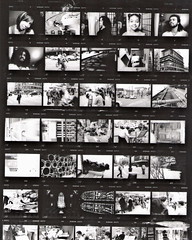
Photo Credit: Lionel Torres

15 Efficient e-Portfolio Tools

As more and more educators bring rich learning opportunities to their students, it makes sense for us to engage students in the creation of electronic portfolios of their work. Although there are a number of 'pay-for-service' sites and content management systems that are up to the task, there are also a number of free and low cost alternatives that can be leveraged by teachers and students in order to demonstrate their personal and professional competencies.

Whether you're looking for a place to share group portfolios, to publicize culminating performances, or to encourage students to post personal learning histories, it may be well worth your while to become familiar with one or more of these tools:

Posterous: Thanks to the fact that students and teachers can post content by simply emailing all manner of media to their custom blog address, this tool is now at the top of my list. Automate the embedding of audio files, documents, and recorded video on your custom site.

ScrapBlog: In using the concept of electronic 'scrapbook', this tool may be the easiest for your charges to understand. Rich templates professionalize the photo and video work of students, and the results can be shared in many ways.

PBWiki: The humble wiki can play a lead role in allowing students to gather their work either individually, or as members of a group. Through a universally understood edit and share format, a variety of wiki tools are available, for use by schools.

WetPaint: My favourite wiki tool can be made 'ad-free' for educational purposes by simply drafting an email request to education@wetpaint.com. WetPaint wikis make it easy to create community around evolving projects, and the inviting 'easy edit' button and WYSIWYG editor make it easy for anyone to contribute.

Wix: If you want a look and feel that's sure to be a hit with young people, this site engages animated menus and rich templates to embed all types of media. Although the site is in beta release, you can do things you can't do in traditional wikis & blogs, like rotating media to play on custom angles!

Carbonmade: One of only a few tools designed specifically for e-portfolios, this free online app allows you to showcase images, flash media, or video. Creators can conveniently add text explanations or artist statements to pieces that appear on the site.

Weebly: If you're looking for simple drag and drop utility in a web-based interface, this page creation tool can help you to highlight your digital work, or to bring attention to the multimedia creations of your students.

WebNode: This tool is another free WYSIWYG page editor that allows you to post media into a number of ready-made templates.

SimplyBox: If you require your students to pull together pieces from across the world wide web, this solution can be leveraged to highlight one's own online work, while referencing other sources that may have inspired the work.

Google Sites: If you're a fan of Google services for email and document creation, it makes sense to familiarize yourself with the free site creation tools available to registered users. Before going in too deep, familiarize yourself with the terms of service.

Viewbook: If you're looking for a place to host photos, or scans of student artwork, and have a budget to do so, this tool's professional-looking interface may be your solution.

Jalbum: This free alternative allows you to organize photos or scans in an offline layout, and then to post your work in the Jalbum community or elsewhere. The album creation software is free to download and to use.

Drop.io: More than file sharing, this site uses a simple and clean interface to embed all types of media for playback or download.

DropBox: While this resource is traditionally effective for sharing desktop files 'in the cloud', it can also be used to help students collect their work into one online location.

For those looking for an e-portfolio reference to share with colleagues, you might find what you're looking for in the JISC document Effective Use of e-Portfolios.

Are there other e-portfolio tools you'd recommend?

Photo Credit: Lionel Torres